Tonight’s recipe is on the fridge, scaled to who is eating.
Whoever is cooking taps tonight on the fridge view or their phone and gets the recipe at the portions you planned. For a dinner that spans three recipes and two days, Cook mode lays out one timeline.
What it does today
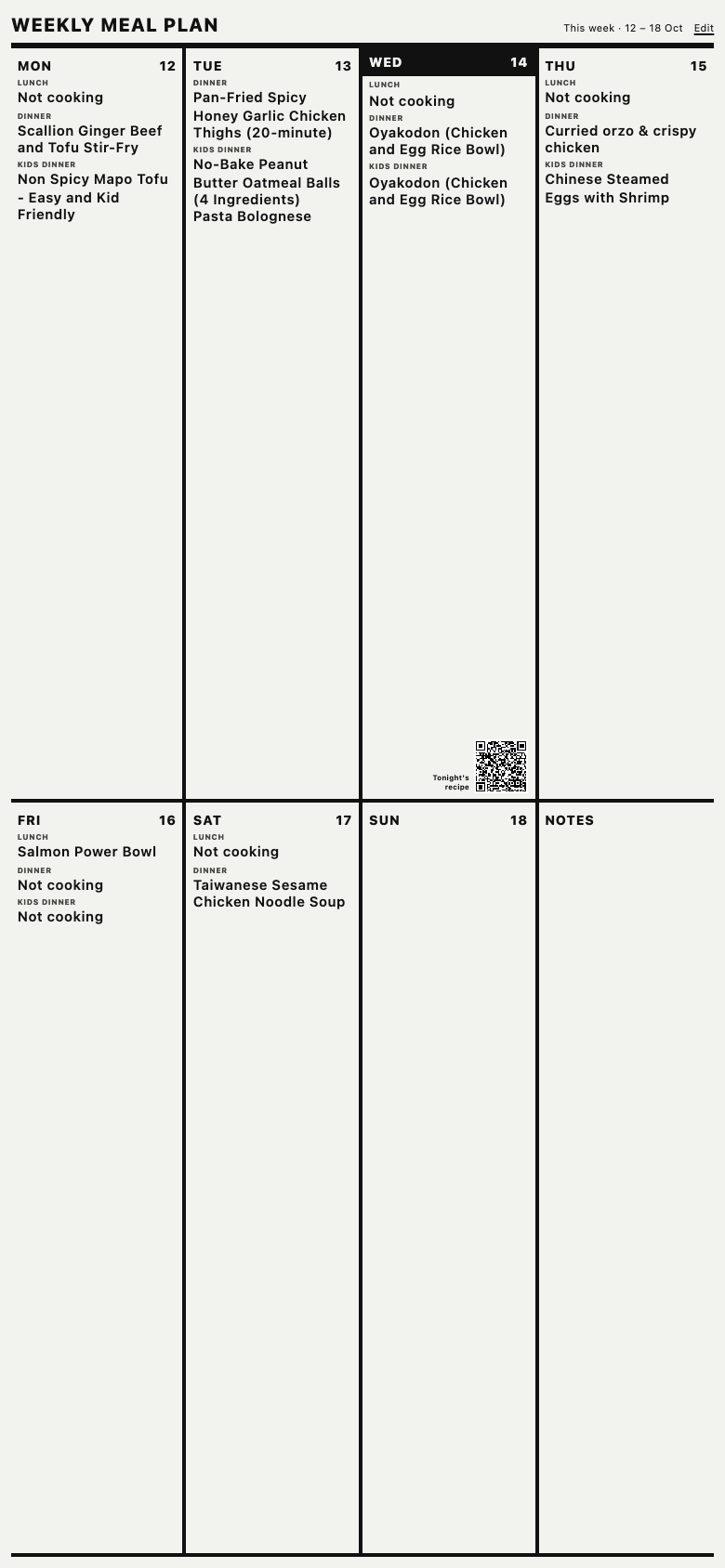
The fridge view
The week in large type, today marked, on a spare tablet on the fridge. Tap a meal and the recipe opens at the portions on the board.
A code to the recipe
The fridge view shows a code for tonight’s dinner. Scan it and the recipe, or the chef’s video if there is one, opens on the phone in your hand.
Portions that are true
Every meal carries how many it is for and the recipe scales to it, so the amounts on the plate and on the list match.
Cook mode, in beta
Put the dishes for a dinner together, say when you want to eat, and get one timeline across all of them with the oven and the stove not fighting. Steps tick off with an undo, and everyone in the kitchen sees the same one. Turned on per household in settings.
Not sure what this is?
A line on the list can carry a short note on an unfamiliar ingredient, where to find it and what it looks like.
Before you ask
What is Cook mode, exactly?
You pick the dishes for a dinner and a time to eat. It works out the order and the overlaps, when to start the rice and when the oven is free, and shows one timeline the whole kitchen follows. It is in beta: a household turns it on in settings.
Do I need the tablet?
No. The fridge view is a bonus. The board and tonight’s recipe are on every phone in the household.
Where this is going
Not built yet. One tap tells us which to build first.
Cook mode for everyone
The timeline out of beta, for any dinner, with the list made from the menu.
A screen for the fridge
A paper-like display on the fridge door that shows the week and tonight’s code, and updates itself.
Learning from the chefs you follow
More from the creators and kitchens you cook from, in the app, with their consent.
The five things it does
Plan next week tonight.
Set up the household, save a few recipes you already cook and fill the board. Invite the others once it looks right. Ten minutes.
Start freeFree while in beta. After that S$6.90 a month for the whole household, and the board and the list stay free.